ip
Shin - A Smart Task Manager 📝
Shin is an interactive chatbot that helps users efficiently manage tasks.
Developed as part of the CS2103T Individual Project at the National University of Singapore (NUS), CS2103T.
Features ✨
📝 Task Management:
- Add, mark, unmark, and delete tasks (ToDo, Deadline, Event).
🎨 Graphical Interface:
- JavaFX-based interactive UI for an intuitive experience.
💾 Persistent Storage:
- Tasks are saved automatically and reloaded on startup.
🚦 Robust Error Handling:
- Gracefully manages invalid commands and missing files.
⚡ AI-Assisted Code Refinements:
- Enhancements in efficiency, exception handling, and test coverage.
Getting Started 🚀
Prerequisites
Ensure you have the following installed:
- Java 17 (including JavaFX)
- Git (for cloning the repository)
Installation & Running
Clone this repository:
git clone https://github.com/yourusername/ip.git
cd ip
Compile and run the application:
./gradlew run
Or run the JAR file directly:
java -jar shin.jar
Usage Commands
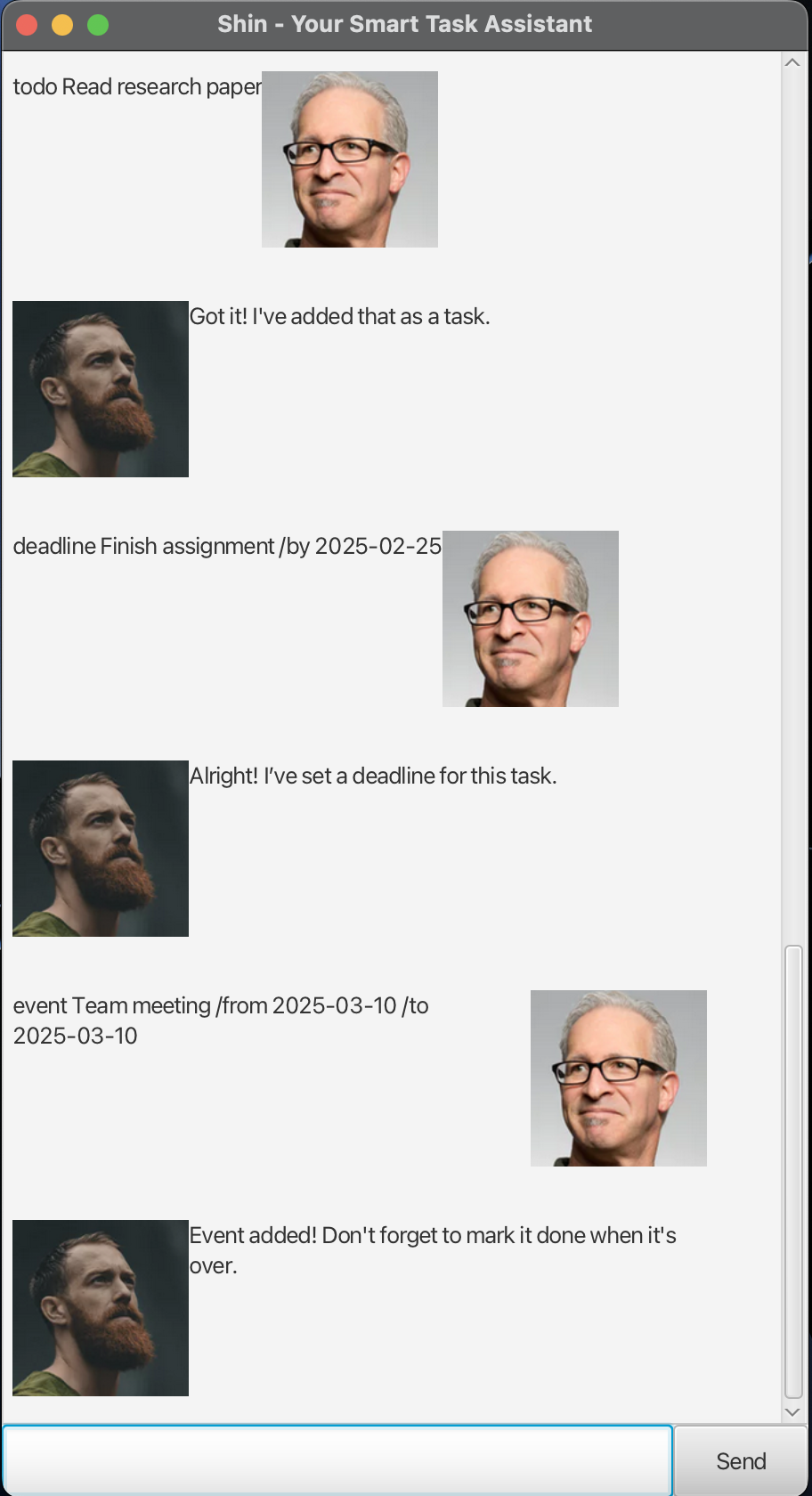
Adding a ToDo Task
Command: todo
What it does: Adds a simple ToDo task to your task list.
Adding a Deadline
Command: deadline
What it does: Adds a task that must be done before a specific date.
Adding an Event
Command: event
What it does: Adds a task that spans a specific start and end date.
Listing All Tasks Command: list
What it does: Displays all tasks in your list, showing their status (done/not done) and type (ToDo, Deadline, or Event).
Marking a Task as Done
Command: mark
Marks the specified task as done.
Unmarking a Task
Command: unmark
What it does: Marks the specified task as not done.
Deleting a Task
Command: delete
What it does: Removes the specified task from your list.
Exiting the Program Command: bye
What it does: Exits the chatbot.
Viewing Help Command: help
What it does: Shows usage instructions and a summary of all available commands.
Tips:
Use one command at a time. Make sure dates follow the YYYY-MM-DD format. Task numbers refer to their position in the displayed list. If you see formatting issues, try spacing out your parameters carefully.
❓ FAQ (Frequently Asked Questions)
1️⃣ Why are my tasks not saved after closing the chatbot?
📌 The chatbot automatically saves tasks, but ensure you have write permissions in the directory.
2️⃣ Can I enter multiple commands at once?
🚫 No, Shin processes one command at a time.
3️⃣ What happens if I enter an incorrect command?
📌 Shin provides an error message along with guidance on the correct format.
A Preview of Shin’s GUI
Code Structure 📂
Shin- Main chatbot logic and command handling.TaskList- Manages task storage and operations.Task, Todo, Deadline, Event- Different task types.Storage- Handles saving and loading tasks from disk.Ui- Manages user interaction and messages.MainWindow- JavaFX UI Controller.
AI Assistance 🤖
Some parts of this project were improved using AI to enhance code quality and maintainability:
- Error Handling Enhancements (Storage.java)
- Improved exception handling and automated file creation.
- Refactored Date Formatting (Deadline.java, Event.java)
- More efficient date parsing methods.
- JUnit Test Cases (DeadlineTest.java, TaskListTest.java)
- Additional test cases for edge cases.
✅ All AI-assisted code was reviewed and refined to comply with course policies.
Acknowledgments 🎓
This project was developed as part of the CS2103T Software Engineering module at NUS.
Special thanks to:
- The CS2103T teaching team for their guidance.
- Online resources like StackOverflow for debugging inspiration.
- The SE-EDU GitHub repository for reference materials.
License 📜
This project is open-sourced under the MIT License.
Key Improvements in This Version
✅ Better structured Features section for readability.
✅ More concise descriptions in all sections.
✅ Usage commands displayed in tables for easy reference.
✅ FAQ streamlined for clarity.
✅ Code structure clearly outlined.
˚```